
AI agents explained in plain words (and how to set one up)
"AI agents" is everywhere right now: in the news, in job descriptions, and in every tech podcast I watched this month. But ask five people what an agent is and you'll get five different answers.
So here's my simple guide. No coding needed. By the end, you'll know what an agent is, which ones you can try, and how to set one up safely.
The big picture
A chatbot answers. An agent acts.
Think of the difference between asking a friend for a restaurant recommendation and asking a friend to book the table for you. The first gives you information. The second gets something done.
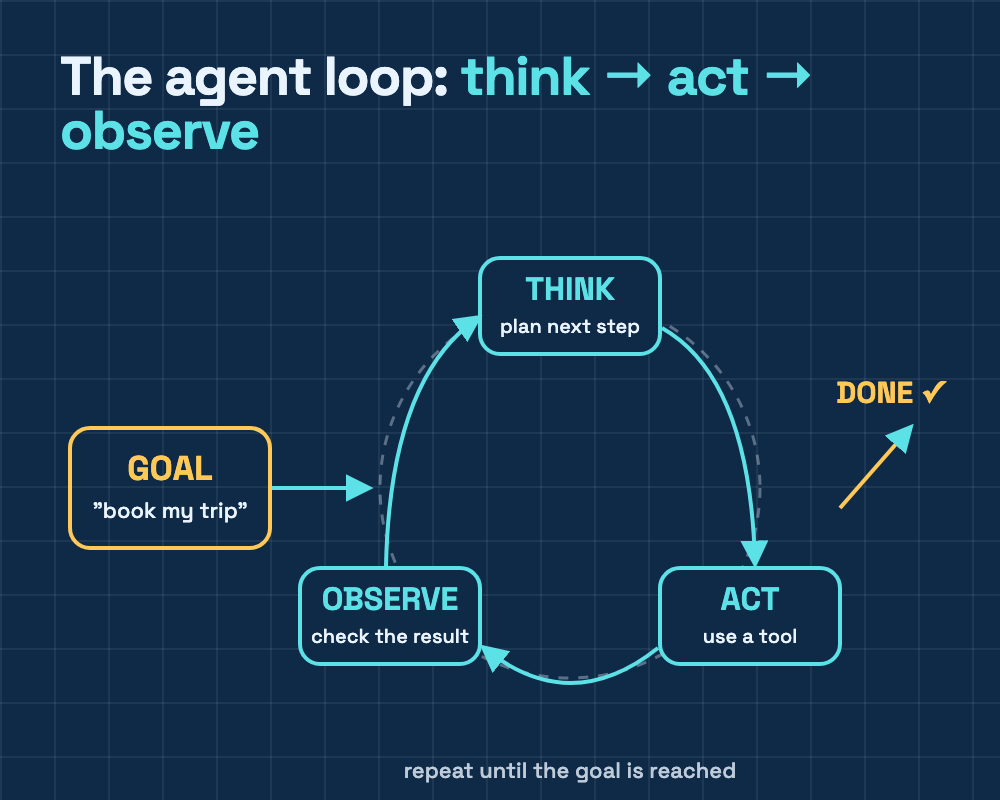
You give an agent a goal. It works out the next step, uses a tool (such as search, a document or your calendar), checks the result, and keeps going until the job is finished.
Chatbot vs agent: a real example
You ask a chatbot: "What should I check before moving to a new city?" You get: a helpful list.
You ask an agent: "Help me plan my move. Compare three neighbourhoods near my office, make a budget in a spreadsheet, and draft an email to the landlord." You get: the research, the spreadsheet and the draft, ready for you to check.
What's inside an agent?
Every agent has four parts:
- A brain: the AI model that decides what to do next.
- Hands: tools it can use, such as web search, files or email.
- Memory: what it remembers about the task, and sometimes about you.
- Rules: what it's allowed to do, and when it must stop and ask you.
Agents you can try today
These change quickly, and what you get depends on your plan and your country. So check what's available on your account.
| Agent | From | What it's good for | Who can use it |
|---|---|---|---|
| ChatGPT Work | OpenAI | Longer tasks that end in a finished report, spreadsheet or slide deck | Paid ChatGPT plans |
| Gemini Spark | A personal agent in the Gemini app that runs tasks in the background and on a schedule | Google AI Pro and Ultra subscribers aged 18+, in selected countries | |
| Claude Cowork | Anthropic | Working with the files and apps you give it access to | Paid Claude plans |
| Deep research modes | ChatGPT, Gemini, Claude, Perplexity | Researching a topic and writing a report with sources | Varies by app and plan |
If you use one of these for work, ask your company first what it allows.
How to set up an agent
If you have a personal account
On Google (Gemini Spark):
- Go to gemini.google.com on a computer and click Switch to Spark in the sidebar. On your phone, open the Gemini app and tap Menu, then Spark.
- Describe your task in plain words, and say when it should run. For example: "Every Sunday evening, give me a summary of my week ahead."
- Connected apps such as Gmail and Calendar are off by default. Turn on only the ones it really needs.
- Open the task to watch its progress, and read any confirmation requests carefully.
On OpenAI (ChatGPT Work):
- Open ChatGPT and choose Work.
- Give it a goal and the result you want. For example: "Compare 5 US universities for a funded PhD in power systems and put the results in a spreadsheet, with links."
- Watch the plan it makes. You can step in if it's going the wrong way.
- Open the links and check the numbers.
If you have a work or school account
These are for business and education accounts, not personal Gmail or personal ChatGPT.
Google Workspace Studio (studio.workspace.google.com) automates work across Gmail, Drive, Docs and Sheets:
- Click Create new and describe the task in plain language.
- Choose what starts the agent, such as a new email.
- Review the steps it suggests.
- Test it with sample files first, because tests perform real actions.
- Turn it on.
ChatGPT workspace agents are for Business, Enterprise and Edu plans. Open Agents in the ChatGPT sidebar, describe a task your team repeats, and ChatGPT guides you through building it. Your admin may need to turn this on first.
Careful with older tutorials: many guides online still teach OpenAI's Agent Builder and ChatGPT agent mode. Agent mode has already been replaced by ChatGPT Work, and OpenAI is shutting down Agent Builder on November 30, 2026.
If you want to build your own
You'll need some Python. I'm writing a separate, hands-on tutorial on Medium with step-by-step screenshots, starting with Google's free tools.
Before you trust an agent
- Start small. Let it look things up before you let it send, buy or delete anything.
- Give it the least access it needs. Connect one app at a time.
- Ask it to check with you before anything important.
- Keep passwords and card details to yourself.
- Check its work. Agents can sound confident and still be wrong, so open the links and check the numbers.
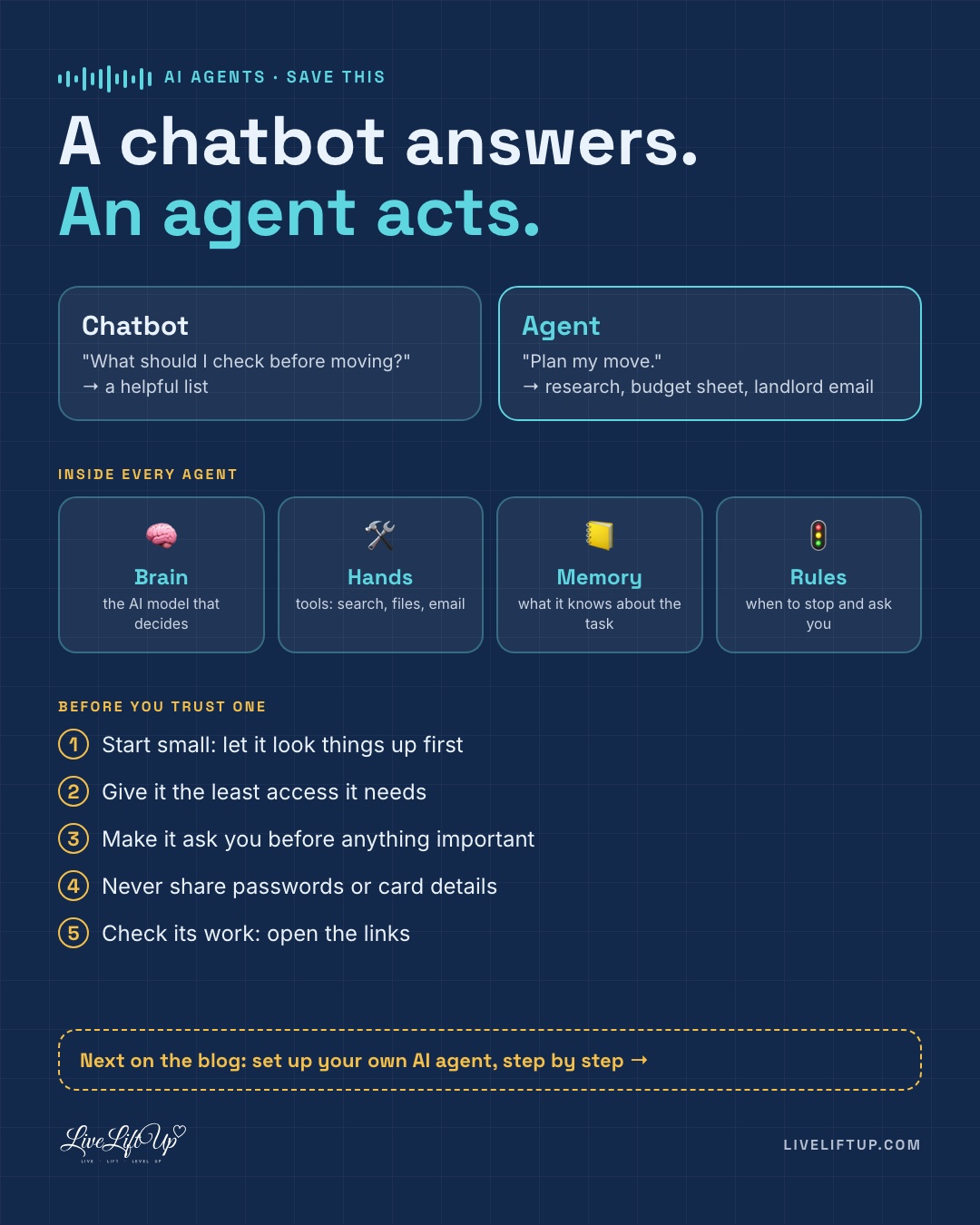
The whole post in one picture
Save this one, or share it with a friend who keeps asking what an agent is.
Why this matters
You don't need to become an engineer. But knowing how to give an agent a clear goal, and how to check its work, is quickly becoming a useful everyday skill, much like learning spreadsheets was.
If you want to go deeper, I shared what Andrew Ng, Satya Nadella and Jensen Huang said about this in my top 3 AI podcasts this month, and my 3 months to break into AI plan covers the skills behind it.
Coming next: set up your own agent
This post was the "what" and the "why." Next, I'd love to show you the "how": a step-by-step guide to setting up your own AI agent with Claude, with screenshots, so you can hand over a real task by the end of it.
Interested? Leave a comment or send me a message and let me know. If enough of you want it, that's my next post.
Your turn
What's one boring task you'd love to hand over to an agent? Write to me. I might turn the best ideas into a future post. ♡